Questions & Answers » Photo » Optimizing & editing » PLEASE HELP! Turn off animations sounds
Ask a question

Question

New Lucretia1on 2009-11-17 at 10:22 am

PLEASE HELP! Turn off animations sounds


I inserted an animation with a photo clip (animation is a already made template supplied with Photostory 7...it is a 'shark' swimming) into my movie but I don't wont the backgroung sound of 'jaws' as I have added my own music to the story. Problem is that the 'jaws' music piece play while my selected music is playing at the same time (sounds aweful).   Does anyone know how to turn off the actual animations backgound sound. Many thanks


Hi guys

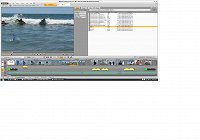
I added the snapshot of my screen. I am using xtreme photostory cd & dvd 8.
Addition on 2009-11-17 at 08:30 pm:
THANK YOU for resonding to me plea. But, nope nothing in the time line that show the animaton - Even when I click on the slide which I added the animation to ...nothing shows up. Only my music clip shows.  Does not indicate that there is this animation at all (shark_02). You wouldnt even know that there was an animation attached until you preview movie/play.

Strange that I am able to edit the size and position of this animation though but there is no function to mute or edit music.  Any thoughts?
Addition on 2009-11-18 at 10:14 am:
Hi again, yes I am very sure.  I normally edit or work in timeline mode.  I have minimized my music clip, moved it.... deleted it you name it...but sitll cant see where the animation insert info is hiding.  I went as far as starting a new project with just one photo for testing (no music clip attached this time) and inserted this 'shark animation' again.... same thing....cant see the animation info.

BUT as I said I am able to select this animation in the 'size and position' tab (so what I am saying is I able to move and resize it this animation) but cannot for the life of me turn the sound off. Feel like pulling out my hair. I have manage turn off other background music also in my project, why not this one? What am I do wrong?  PS:  Thank you for taking the time to help me solve this mystery.
Your question refers to…: Xtreme Photostory on CD & DVD
Question edited on 2009-11-20 at 10:03 pm
Views 121 Views seperator comment 7 Answers seperator Status Status: Open

Answers (7)

Bronze ChipComando2009-11-17 at 02:54 pm
See if this helps, on the time line, go down to the track directly below the picture that has the effect aplied to it. there should be a track that says shark_02 with what looks like audio waves (squigaly lines) click on this. it should hilight that, the shark_02 blue box, and the picture. on the menu bar DIRECTLY above the time line
there is undo, redo, delet, title editor, etc... find the ungroup button. ( it looks like a broken/unconected chain) with the shark and picture still hilighted click the ungroup butten. this, well ungroups them. now click the shark_02 audio again so it is hilighted alone. then simply delet it.
If you have further problems please tell.     good luck                     -Chip Comando
Bronze ChipComando2009-11-18 at 04:32 am
What Mep are you using? Are you sure that its not there? scroll down (verticly) on the time line sometimes it is on track 6-14 If not then move the picture to an unused track then mute the sound on this track. If this doesn't work tell me.
Be glad to help!
Bronze ChipComando2009-11-18 at 02:48 pm
Sorry for not being a great help, I am only 14.
Though there is some one I would like you to
try and ask. his computer name is http://www.magix.info/us/member/profile/ralftaro/  (Ralftaro) send him an email he has
helped me with everyone of my problems
I very much hope he helps more then my little knolage
He is about 6 levels higher than me.
Thats So weird that it didn't show on the time line
VERY GOOD LUCK  to you                  -Chip Comando
Bronze BroBryce20092009-11-19 at 01:11 pm
you may have to scroll down to reveal more tracks down below where you are working, in order to reveal where the additional elements of the "shark" effect are attached.  Note that all of these elements will probably be "grouped", which means you will have to ungroup them (the little broken chain links icon) before you can delete the music element all by itself.

Other than that, ChipComando seems to have it all down in black & white for you.
New Lucretia12009-11-19 at 07:55 pm
Hi BroBryce2009,  as I said I cant scroll down as there is no scroll 'down' bar to begin with.  I am right at the very bottom of the 'page'.  I see three mode overview, story board and timeline. That is it. In the timeline mode I see in left corner next to mode icons four icons square (picture block) and sound icon, below that a 'T' for text icon and below that another sound icon. I cant scoll down futher as there is nothing there or allows me to do this.

I wish I could show you a snap shot of my screen. You can clearly see the animation in my preview pane. But not on anyone of my 'work' lines Nothing show as an animation..... zero.. blank. And as mentioned I can edit this aniamtion when I go to size and position.  But no where to mute sound. I give up!
Bronze ChipComando2009-11-20 at 03:14 pm
You can Take a picture/yideo of your screen.
uplaod it to your comuter however you do that
then edit your question and insert picture/video
Though most people like brobrice (above) are saying
the same things that I did. one quick question. What
Movie Edit Pro are you using?
Bronze ChipComando2009-11-21 at 07:08 pm
then I don't think you can change it. so sorry
get Movie Edit Pro 15 then you can.
Good luck to you!                                          -chip