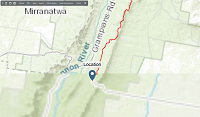
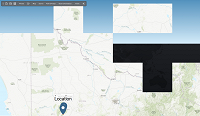
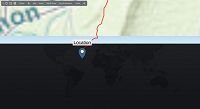
Topo maps broken in latest TRAVEL MAPS update

Comments

browj2 wrote on 1/15/2026, 10:02 AM

@Theuns-Serfontein

Hi,

There is no recent update to Travel Maps. The current version is 5.0.0.501. Is that what you have?

When I want to upload a custom PNG Image

It doesn't want to upload the New Image,

I have no trouble loading a custom PNG image. Can you make yours image available on file sharing site so that we can test it?

or when I want to add a new location

Sometimes it doesn't want to add the new Location.

Is there a limit on how many locations you can add?

If you try to add a location inside the highlighted circular area of an existing point or inside an existing location text box, you cannot. You can create a location away from the point or text box and then drag it closer.

I have not had any trouble adding locations.

There is probably a limit but it must be very high. I have imported gps files with hundreds of points with no problems.

John CB

John C.B.

VideoPro X(17U); Video Deluxe 2026 Plus, Movie Studio 2025 Platinum; Music Maker 2026 Premium Edition; Samplitude Pro X8 Suite; see About me for more.

Desktop System - Windows 11 Pro 24H2; MB ROG STRIX B560-A Gaming WiFi; Graphics Card Zotac Gaming NVIDIA GeForce RTX-3060, PS; Power supply EVGA 750W; Intel Core i7-10700K @ 3.80GHz (UHD Graphics 630); RAM 32 GB; OS on Kingston SSD 1TB; secondary WD 2TB; others 1.5TB, 3TB, 500GB, 4TB, 5TB, 6TB, 8TB, 12TB, 14TB; three monitors - HP 25" main, LG 4K 27" second, HP 27" third; Casio WK-225 piano keyboard; M-Audio M-Track USB mixer.

Notebook - Microsoft Surface Pro 4, i5-6300U, 8 GB RAM, 256 SSD, W10 Pro 20H2.

YouTube Channel: @JCBrownVideos

Theuns-Serfontein wrote on 1/15/2026, 1:36 PM

Hi @browj2 Thanks a lot for the reply

I did get Travel maps via Movie Studio that I bought in Aug 2023 and

it is the same one that you have.


 "Can you make your image available on a file-sharing site so that we can test it?

I will upload one for you on my Google Drive:https://drive.google.com/file/d/1m3DA0-mt76tjpW79v1kGlHSaoYXaEwIV/view?usp=sharing

I was Able to upload it the first time, but then I needed to redo the map, and then all of A Sudden

It starts with the problem.

If you are Willing we can do a "Google Meet" call. I am on laeve on this moment till the 25th of Jan


In the meantime, I will do a Test again because I did not use Travel Maps today.

I am from South Africa

Regards

Theuns


  •   MAGIX Versions:

Vegas Pro 19 Post

Vegas Pro Suite 22

Vegas Pro 23

MAGIX Movie Studio 2026 Suite

  • Windows version: .... Edition Windows: 11 Pro
  • Version: .................... Dev
  • Installed on: ............. 2023/‎07/‎14
  • Experience: ............. Windows Feature Experience Pack
  • Processor: .............. Intel(R) Core(TM) i5-10400 CPU @ 2.90GHz   2.90 GHz
  • Graphics Card: ....... Intel(R) UHD Graphics 63
  • Installed RAM: ....... 64,0 GB (63,9 GB usable)
  • System type: .......... 64-bit operating system, x64-based processor
  • CPU: ....................... Intel (R) Core (TM) i5-10400 CPU @ 2.90GHz
  • GPU 2 : .................. NVIDIA GeForce RTX 3060


browj2 wrote on 1/15/2026, 6:27 PM

@Theuns-Serfontein

Hi Theuns,

I downloaded and opened your png file in Travel Maps and quickly added 20 locations. No problems encountered.

If you want to get together on Google Meet, send me a PM with the code. I'm in Eastern Canada (Quebec), so there is a 7 hour time difference. I should be available around 9am my time, 16:00 your time.

John CB

John C.B.

VideoPro X(17U); Video Deluxe 2026 Plus, Movie Studio 2025 Platinum; Music Maker 2026 Premium Edition; Samplitude Pro X8 Suite; see About me for more.

Desktop System - Windows 11 Pro 24H2; MB ROG STRIX B560-A Gaming WiFi; Graphics Card Zotac Gaming NVIDIA GeForce RTX-3060, PS; Power supply EVGA 750W; Intel Core i7-10700K @ 3.80GHz (UHD Graphics 630); RAM 32 GB; OS on Kingston SSD 1TB; secondary WD 2TB; others 1.5TB, 3TB, 500GB, 4TB, 5TB, 6TB, 8TB, 12TB, 14TB; three monitors - HP 25" main, LG 4K 27" second, HP 27" third; Casio WK-225 piano keyboard; M-Audio M-Track USB mixer.

Notebook - Microsoft Surface Pro 4, i5-6300U, 8 GB RAM, 256 SSD, W10 Pro 20H2.

YouTube Channel: @JCBrownVideos

Theuns-Serfontein wrote on 1/16/2026, 4:18 AM

@browj2 

Hi John

Thanks a lot, 16:00 will work 100% for me.

Here is the Google Meet linkRemoved by Moderator

The problem is still there on my side, but I did this Video for you

to see what happened when I tried to add the Image.

Regards

Theuns


Last changed by johnebaker on 1/16/2026, 7:00 AM, changed a total of 1 times.

Reason: Removed confidential information

  •   MAGIX Versions:

Vegas Pro 19 Post

Vegas Pro Suite 22

Vegas Pro 23

MAGIX Movie Studio 2026 Suite

  • Windows version: .... Edition Windows: 11 Pro
  • Version: .................... Dev
  • Installed on: ............. 2023/‎07/‎14
  • Experience: ............. Windows Feature Experience Pack
  • Processor: .............. Intel(R) Core(TM) i5-10400 CPU @ 2.90GHz   2.90 GHz
  • Graphics Card: ....... Intel(R) UHD Graphics 63
  • Installed RAM: ....... 64,0 GB (63,9 GB usable)
  • System type: .......... 64-bit operating system, x64-based processor
  • CPU: ....................... Intel (R) Core (TM) i5-10400 CPU @ 2.90GHz
  • GPU 2 : .................. NVIDIA GeForce RTX 3060


johnebaker wrote on 1/16/2026, 7:09 AM

@Theuns-Serfontein

Hi

Please do not post Google Meet codes or any personal/confidential information in the forum, which is open to the public.

I would suggest you create a new Meet code, the link you posted here may be compromised and should not be used.

Send the new code to @browj2 via Private Message (PM), as was requested, ie click John CB's avatar and when his profile opens, select Write a message.

John EB
Forum Moderator

VPX 16, Movie Studio 2025, and earlier versions 2015 and 2016, Music Maker Premium 2024.

PC - running Windows 11 23H2 Professional on Intel i7-8700K 3.2 GHz, 16GB RAM, RTX 2060 6GB 192-bit GDDR6, 1 x 1Tb Sabrent NVME SSD (OS and programs), 2 x 4TB (Data) internal HDD + 1TB internal SSD (Work disc), + 6 ext backup HDDs.

Laptop - Lenovo Legion 5i Phantom - running Windows 11 24H2 on Intel Core i7-10750H, 16GB DDR4-SDRAM, 512GB SSD, 43.9 cm screen Full HD 1920 x 1080, Intel UHD 630 iGPU and NVIDIA GeForce RTX 2060 (6GB GDDR6)

Sony FDR-AX53e Video camera, DJI Osmo Action 3 and Sony HDR-AS30V Sports cams.

Theuns-Serfontein wrote on 1/16/2026, 8:06 AM

@johnebaker Sorry Did PM John and send him the link

  •   MAGIX Versions:

Vegas Pro 19 Post

Vegas Pro Suite 22

Vegas Pro 23

MAGIX Movie Studio 2026 Suite

  • Windows version: .... Edition Windows: 11 Pro
  • Version: .................... Dev
  • Installed on: ............. 2023/‎07/‎14
  • Experience: ............. Windows Feature Experience Pack
  • Processor: .............. Intel(R) Core(TM) i5-10400 CPU @ 2.90GHz   2.90 GHz
  • Graphics Card: ....... Intel(R) UHD Graphics 63
  • Installed RAM: ....... 64,0 GB (63,9 GB usable)
  • System type: .......... 64-bit operating system, x64-based processor
  • CPU: ....................... Intel (R) Core (TM) i5-10400 CPU @ 2.90GHz
  • GPU 2 : .................. NVIDIA GeForce RTX 3060