The project is 16:9 , I have few jpg's not alike so I want to use a 16:9 background from the templates, say gradient 3.
When clicked this pops
If I "Apply", the BG is mixed with the jpg 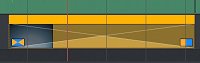
I couldn't find the way to set it to 16:9 as true BG to the XY jpg.
* By "Ignore" it comes as an object and this fine, but I'm asking about the "Apply" option?
