Ripple Delete shortcut not working

Kraz wrote on 12/7/2025, 12:36 PM

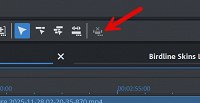
I'm using Video Pro X17. I'm pretty sure in previous versions I could highlight an object(s) and press Ctrl+Delete and the selected objects would be deleted and the gap would be closed (rippled) meaning the objects to the right would move and close the gap. This doesn't seem to be working in Pro X17. I believe it's called remove scene and it shows up in the shortcut editor but the remove scene icon seems to be greyed out. Can anyone using Pro X17 test this for me? Thank you. Kraz

Last changed by Kraz

Asus Maximus X Code, Intel i7 8700K, 32GB DDR4 2400Mhz, Samsung 970 EVO NVMe M.2 500gb SSD System Drive, System Drive, 1 x Crucial 960gb SSD A/V Drive,1 x Crucial 960 1x 512 Samsung SSD Samples Drives, RME Raydat, Windows 10 x64, Philips 40" 4K BDM4065, Acer 27" Touchscreen, Samsung 40 inch 4K TV. 1x Gigabyte GTX 960 2gb.

Comments

johnebaker wrote on 12/7/2025, 2:11 PM

@Kraz

Hi

Ctrl + Del removes the object/scene only as it has been in all previous versions going back to at least VPX 8.

Your image shows you have the mouse mode set to single object, to close the gap automatically you must have the Mouse mode set to either Single track, shortcut 8, or All tracks, short cut 7 see image below

The Remove scene button only activates either when you have selected a scene to remove, or if there is only one object on the timeline.

John EB
Forum Moderator

Last changed by johnebaker on 12/7/2025, 2:15 PM, changed a total of 1 times.

VPX 16, Movie Studio 2025, and earlier versions 2015 and 2016, Music Maker Premium 2024.

PC - running Windows 11 23H2 Professional on Intel i7-8700K 3.2 GHz, 16GB RAM, RTX 2060 6GB 192-bit GDDR6, 1 x 1Tb Sabrent NVME SSD (OS and programs), 2 x 4TB (Data) internal HDD + 1TB internal SSD (Work disc), + 6 ext backup HDDs.

Laptop - Lenovo Legion 5i Phantom - running Windows 11 24H2 on Intel Core i7-10750H, 16GB DDR4-SDRAM, 512GB SSD, 43.9 cm screen Full HD 1920 x 1080, Intel UHD 630 iGPU and NVIDIA GeForce RTX 2060 (6GB GDDR6)

Sony FDR-AX53e Video camera, DJI Osmo Action 3 and Sony HDR-AS30V Sports cams.

Kraz wrote on 12/7/2025, 5:16 PM

Thanks for replying @johnebaker So is there a way to ripple delete? I'm sure I used to be able to do it.

Asus Maximus X Code, Intel i7 8700K, 32GB DDR4 2400Mhz, Samsung 970 EVO NVMe M.2 500gb SSD System Drive, System Drive, 1 x Crucial 960gb SSD A/V Drive,1 x Crucial 960 1x 512 Samsung SSD Samples Drives, RME Raydat, Windows 10 x64, Philips 40" 4K BDM4065, Acer 27" Touchscreen, Samsung 40 inch 4K TV. 1x Gigabyte GTX 960 2gb.

Kraz wrote on 12/7/2025, 7:33 PM

Thanks for replying @johnebaker So is there a way to ripple delete? I'm sure I used to be able to do it.

So I did some more research and it looks like you need to be in mouse mode for all tracks (7) then when you delete the objects the gap will close automatically. Although I'm sure could do it with Ctrl + Delete in the past.

Asus Maximus X Code, Intel i7 8700K, 32GB DDR4 2400Mhz, Samsung 970 EVO NVMe M.2 500gb SSD System Drive, System Drive, 1 x Crucial 960gb SSD A/V Drive,1 x Crucial 960 1x 512 Samsung SSD Samples Drives, RME Raydat, Windows 10 x64, Philips 40" 4K BDM4065, Acer 27" Touchscreen, Samsung 40 inch 4K TV. 1x Gigabyte GTX 960 2gb.

AAProds wrote on 12/7/2025, 9:07 PM

@Kraz

So I did some more research and it looks like you need to be in mouse mode for all tracks (7) then when you delete the objects the gap will close automatically. 

No, as John says above, you need to be in either Single Track or All Tracks.

Re CTRL+DEL, in Single Object Mouse mode, this will ripple-delete, whereas a simple DEL will remove the object but leave the gap.

(Assuming VPX 17 behaves the same as VDL 2026).

All my forum comments are based on or refer to my System 1.

System 1

Windows 11 v23H2 severely modified by Openshell and ExplorerPatcher

Power supply: 850W Cooler Master (should have got modular)

CPU: Intel i7 13700K running at 3400mhz, cooled by a Kraken 2x140mm All In One liquid cooler.

RAM: 64gb (2x32gb sticks) G.Skill "Ripjaws" DDR4 3200Mhz

GPU 1: iGPU UHD 770

GPU 2: NVidia RTX 3060Ti Windforce 8gb

C drive: NVME 500gb

Bluray Burner: Pioneer BDR-212D

Various other SSD and HDDs.

Monitor: 27"/68cm Samsung, 2560 x 1440, 43 pixels/cm.

MEP 2021 version 20.0.1.80

Magix Video Deluxe 2026 Ultimate (although it comes up as "Premium").

Magix Video Easy version 7.0.1.145

System 2

(Still in use for TV and videotape capture)

Windows 10 Home Version 2009

CPU: i5-750 at 2670mhz with 12gb RAM

Onboard IEEE1394 (Firewire) port

GPU: ATI Radeon HD 4770 (512mb) which is ignored by MEP

Hard drives: C Drive 256gb SSD, various other HDDs.

Monitor: Dell 22"/56cm, 1680x1050, 35 pixels/cm

Movie Studio 2023

Movie Studio 2024

VPX 12

System 3

Lenovo Yoga laptop

Windows 11

CPU i5-8250U (1,6ghz)

8GB DDR4 2400 RAM

GPU iGPU UHD620

2TB NVME HDD

Video Deluxe 2026

Kraz wrote on 12/7/2025, 9:56 PM

I've done further tests and Ctrl + Delete does nothing in terms of closing the gap regardless of mouse mode selection in VPX 17. But if I have mouse mode for all tracks enabled and then just press plain delete the selected objects will be deleted and all objects to the right will move (closing the gap) including unlinked objects which is what I need. This seems different to what you described in VDL 2026 @AAProds

I made a video.

Asus Maximus X Code, Intel i7 8700K, 32GB DDR4 2400Mhz, Samsung 970 EVO NVMe M.2 500gb SSD System Drive, System Drive, 1 x Crucial 960gb SSD A/V Drive,1 x Crucial 960 1x 512 Samsung SSD Samples Drives, RME Raydat, Windows 10 x64, Philips 40" 4K BDM4065, Acer 27" Touchscreen, Samsung 40 inch 4K TV. 1x Gigabyte GTX 960 2gb.

AAProds wrote on 12/7/2025, 10:18 PM

@Kraz

Yes, I see what you mean. VDL 2026 is different and behaves "as one would expect".

All my forum comments are based on or refer to my System 1.

System 1

Windows 11 v23H2 severely modified by Openshell and ExplorerPatcher

Power supply: 850W Cooler Master (should have got modular)

CPU: Intel i7 13700K running at 3400mhz, cooled by a Kraken 2x140mm All In One liquid cooler.

RAM: 64gb (2x32gb sticks) G.Skill "Ripjaws" DDR4 3200Mhz

GPU 1: iGPU UHD 770

GPU 2: NVidia RTX 3060Ti Windforce 8gb

C drive: NVME 500gb

Bluray Burner: Pioneer BDR-212D

Various other SSD and HDDs.

Monitor: 27"/68cm Samsung, 2560 x 1440, 43 pixels/cm.

MEP 2021 version 20.0.1.80

Magix Video Deluxe 2026 Ultimate (although it comes up as "Premium").

Magix Video Easy version 7.0.1.145

System 2

(Still in use for TV and videotape capture)

Windows 10 Home Version 2009

CPU: i5-750 at 2670mhz with 12gb RAM

Onboard IEEE1394 (Firewire) port

GPU: ATI Radeon HD 4770 (512mb) which is ignored by MEP

Hard drives: C Drive 256gb SSD, various other HDDs.

Monitor: Dell 22"/56cm, 1680x1050, 35 pixels/cm

Movie Studio 2023

Movie Studio 2024

VPX 12

System 3

Lenovo Yoga laptop

Windows 11

CPU i5-8250U (1,6ghz)

8GB DDR4 2400 RAM

GPU iGPU UHD620

2TB NVME HDD

Video Deluxe 2026

browj2 wrote on 12/8/2025, 1:40 PM

@Kraz @AAProds @johnebaker

Hi,

In both VPX17 and VDL2026, selecting one or more objects on a track, Ctrl+Del will delete those objects and close up the gaps and move objects on other tracks if they start farther along the timeline. As far as I have seen, Ctrl+Del is independent of the mouse mode; it works fine in mouse mode for an object which, I believe, was the reason the tool was added - no need to change mouse mode. However, it behaves like using Del when in mouse mode for all tracks. Objects on other tracks will move in parallel, but could end up overlapping objects to the left, so watch out for that. Delete will delete the object and close up the gap for only that track when in mouse mode for a single track.

Ctrl+Del on more than one object at a time is not something I would normally do unless I only have objects on one track (2 actually, with AV on separate tracks).

John CB

John C.B.

VideoPro X(17U); Video Deluxe 2026 Plus, Movie Studio 2025 Platinum; Music Maker 2026 Premium Edition; Samplitude Pro X8 Suite; see About me for more.

Desktop System - Windows 11 Pro 24H2; MB ROG STRIX B560-A Gaming WiFi; Graphics Card Zotac Gaming NVIDIA GeForce RTX-3060, PS; Power supply EVGA 750W; Intel Core i7-10700K @ 3.80GHz (UHD Graphics 630); RAM 32 GB; OS on Kingston SSD 1TB; secondary WD 2TB; others 1.5TB, 3TB, 500GB, 4TB, 5TB, 6TB, 8TB, 12TB, 14TB; three monitors - HP 25" main, LG 4K 27" second, HP 27" third; Casio WK-225 piano keyboard; M-Audio M-Track USB mixer.

Notebook - Microsoft Surface Pro 4, i5-6300U, 8 GB RAM, 256 SSD, W10 Pro 20H2.

YouTube Channel: @JCBrownVideos