
Vegas Pro 23: Waveforms Shift Depending on Zoom Level

CyberMousey wrote on 12/29/2025, 7:33 PM

I’m having an issue in Vegas Pro 23 that I’m not sure how to properly describe, but I’ll try to be as clear as possible. However here is a video demonstrating the problem.
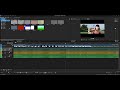
Here’s what’s happening:

I drag a video clip that includes audio onto the timeline.

I then bring in a separate audio file and place it on its own audio track underneath the video’s audio track.

I zoom out so both audio waveforms are fully visible on screen at once. While zoomed out, I line up the two waveforms as accurately as possible.

However, when I zoom in anywhere on the timeline, the waveforms no longer appear aligned.

If I re-align them while zoomed in, they visually match at that zoom level, but once I zoom back out, they don’t appear aligned anymore.

So depending on the zoom level, the waveforms look like they’re shifting or not lining up consistently. It’s almost like the alignment changes depending on how far in or out I zoom.

Is this a known issue, a display scaling bug, a setting I might have missed, or some kind of timeline snapping/quantization problem? I’m not sure if this is normal behavior or trouble on my end. This happens no matter what audio file I use. I use several types of differnt audio and video files and no matter the results are the same. The wave moves and misaligns with zoom level.

(I can't be the only person with the problem, could I?)

Any guidance would be appreciated, thank you in advance.

Comments

AAProds wrote on 12/29/2025, 10:26 PM

@CyberMousey

Hello Mousey, you're in the wrong forum; this is the correct forum for Vegas:

https://www.vegascreativesoftware.info/us/

👍

All my forum comments are based on or refer to my System 1.

System 1

Windows 11 v23H2 severely modified by Openshell and ExplorerPatcher

Power supply: 850W Cooler Master (should have got modular)

CPU: Intel i7 13700K running at 3400mhz, cooled by a Kraken 2x140mm All In One liquid cooler.

RAM: 64gb (2x32gb sticks) G.Skill "Ripjaws" DDR4 3200Mhz

GPU 1: iGPU UHD 770

GPU 2: NVidia RTX 3060Ti Windforce 8gb

C drive: NVME 500gb

Bluray Burner: Pioneer BDR-212D

Various other SSD and HDDs.

Monitor: 27"/68cm Samsung, 2560 x 1440, 43 pixels/cm.

MEP 2021 version 20.0.1.80

Magix Video Deluxe 2026 Ultimate (although it comes up as "Premium").

Magix Video Easy version 7.0.1.145

System 2

(Still in use for TV and videotape capture)

Windows 10 Home Version 2009

CPU: i5-750 at 2670mhz with 12gb RAM

Onboard IEEE1394 (Firewire) port

GPU: ATI Radeon HD 4770 (512mb) which is ignored by MEP

Hard drives: C Drive 256gb SSD, various other HDDs.

Monitor: Dell 22"/56cm, 1680x1050, 35 pixels/cm

Movie Studio 2023

Movie Studio 2024

VPX 12

System 3

Lenovo Yoga laptop

Windows 11

CPU i5-8250U (1,6ghz)

8GB DDR4 2400 RAM

GPU iGPU UHD620

2TB NVME HDD

Video Deluxe 2026