
I’m having an issue in Vegas Pro 23 that I’m not sure how to properly describe, but I’ll try to be as clear as possible. However here is a video demonstrating the problem.
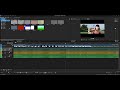
Here’s what’s happening:
I drag a video clip that includes audio onto the timeline.
I then bring in a separate audio file and place it on its own audio track underneath the video’s audio track.
I zoom out so both audio waveforms are fully visible on screen at once. While zoomed out, I line up the two waveforms as accurately as possible.
However, when I zoom in anywhere on the timeline, the waveforms no longer appear aligned.
If I re-align them while zoomed in, they visually match at that zoom level, but once I zoom back out, they don’t appear aligned anymore.
So depending on the zoom level, the waveforms look like they’re shifting or not lining up consistently. It’s almost like the alignment changes depending on how far in or out I zoom.
Is this a known issue, a display scaling bug, a setting I might have missed, or some kind of timeline snapping/quantization problem? I’m not sure if this is normal behavior or trouble on my end. This happens no matter what audio file I use. I use several types of differnt audio and video files and no matter the results are the same. The wave moves and misaligns with zoom level.
(I can't be the only person with the problem, could I?)
Any guidance would be appreciated, thank you in advance.